
Faceted Search
Faceted search works on top of ERPNext's Shopping Cart to add additional Ecommerce controls for marketplace users. This feature allows you to list your products under /all-products and filter them based on their specifications.
Manual Setup
Follow the steps to create your first listed product with multiple specifications and their variations.
Steps:
- Items and Website Items should be configured according to the instructions provided for the Ecommerce Module
- To create Specifications for the Item:
- Type
Specificationin Awesomebar >Add Specification. - Select
DocTypeon which you would like to customize the specification. - Select
Apply Onbased on the doctype or leave it blank to apply to all records of that DocType. This currently only works for Item. - Mark it
Enabled.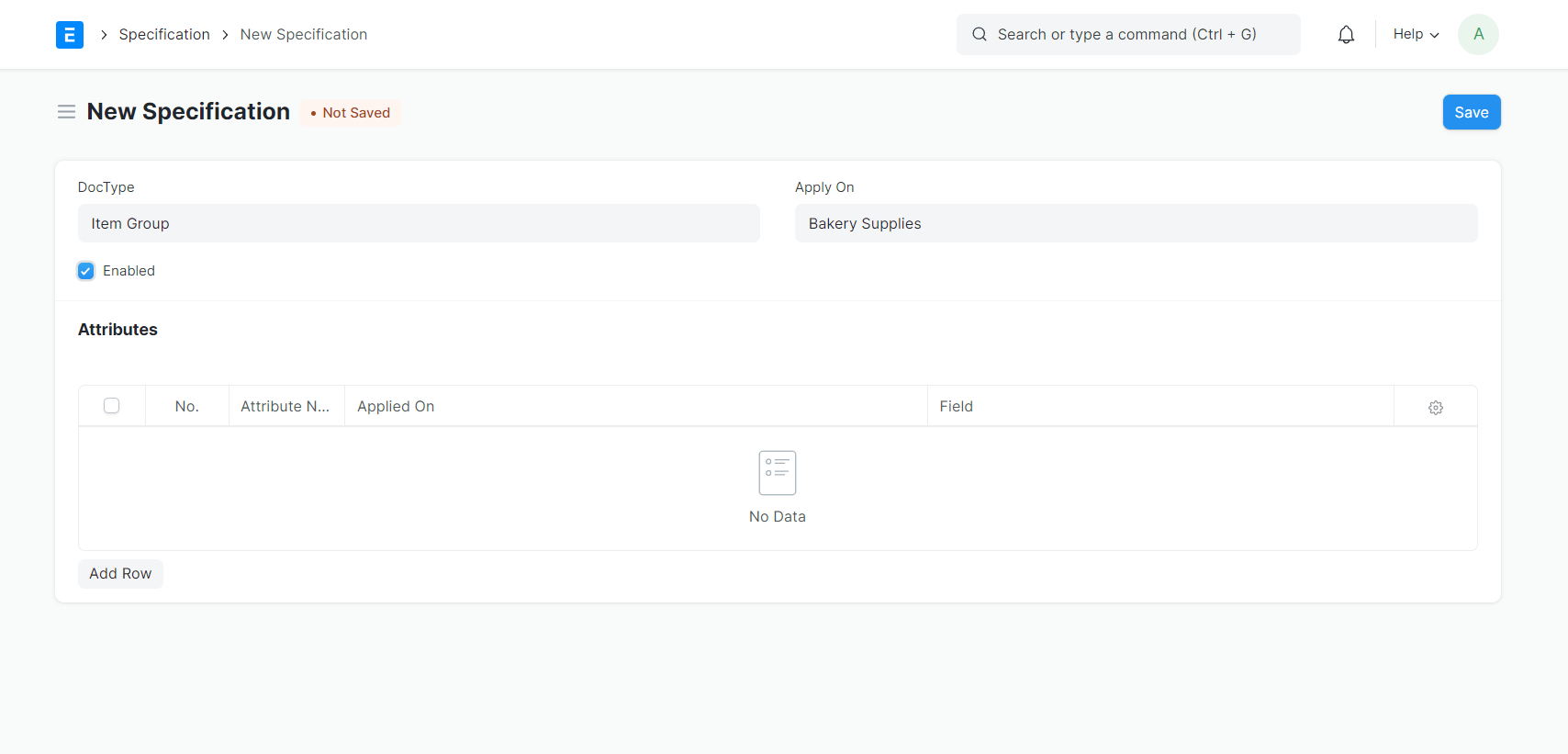
- Under
Attributestable clickAdd Row>Edit.- Write unique
Attribute Name. - Choose if the value is expected to be a
Date ValueorNumeric Value. - Select
Apply On(In this case, we can chooseItem). - Optionally select the
Fieldon which the attribute should be applied. - Choose a
Componentbased on the following criteria:FacetedSearchColorPicker: if the attribute is related to colors.FacetedSearchDateRange: if the attribute is related to date values.FacetedSearchNumericRange: if the attribute is related to numeric values.AttributeFilter: if the attribute doesn't belong to any of the above.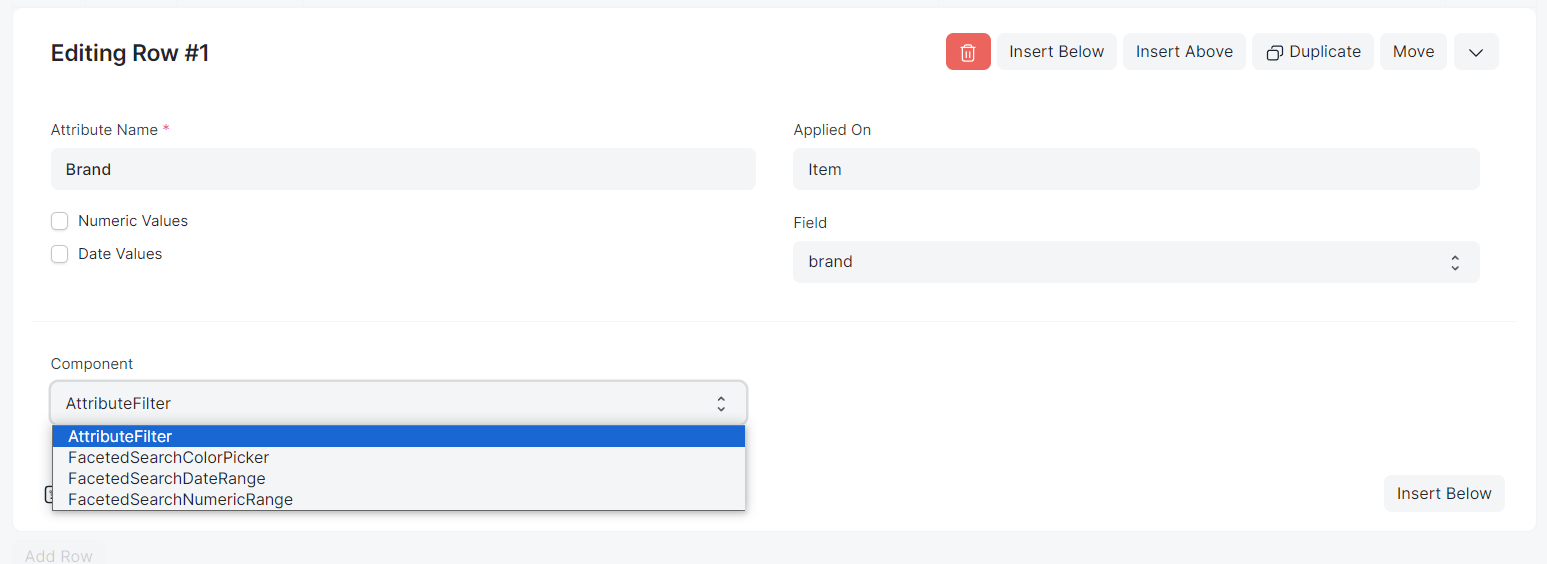
Savethe Specification(s).
- Write unique
- Type
- Create
Specification Values:- Route through
Stock>Item> Choose Item. - On Item page click
Actions(Top Right) > ClickEdit Specification- This will try to pre-populate the specifications based on your selection. If no specifications are set, please select from the dropdown instead.
Save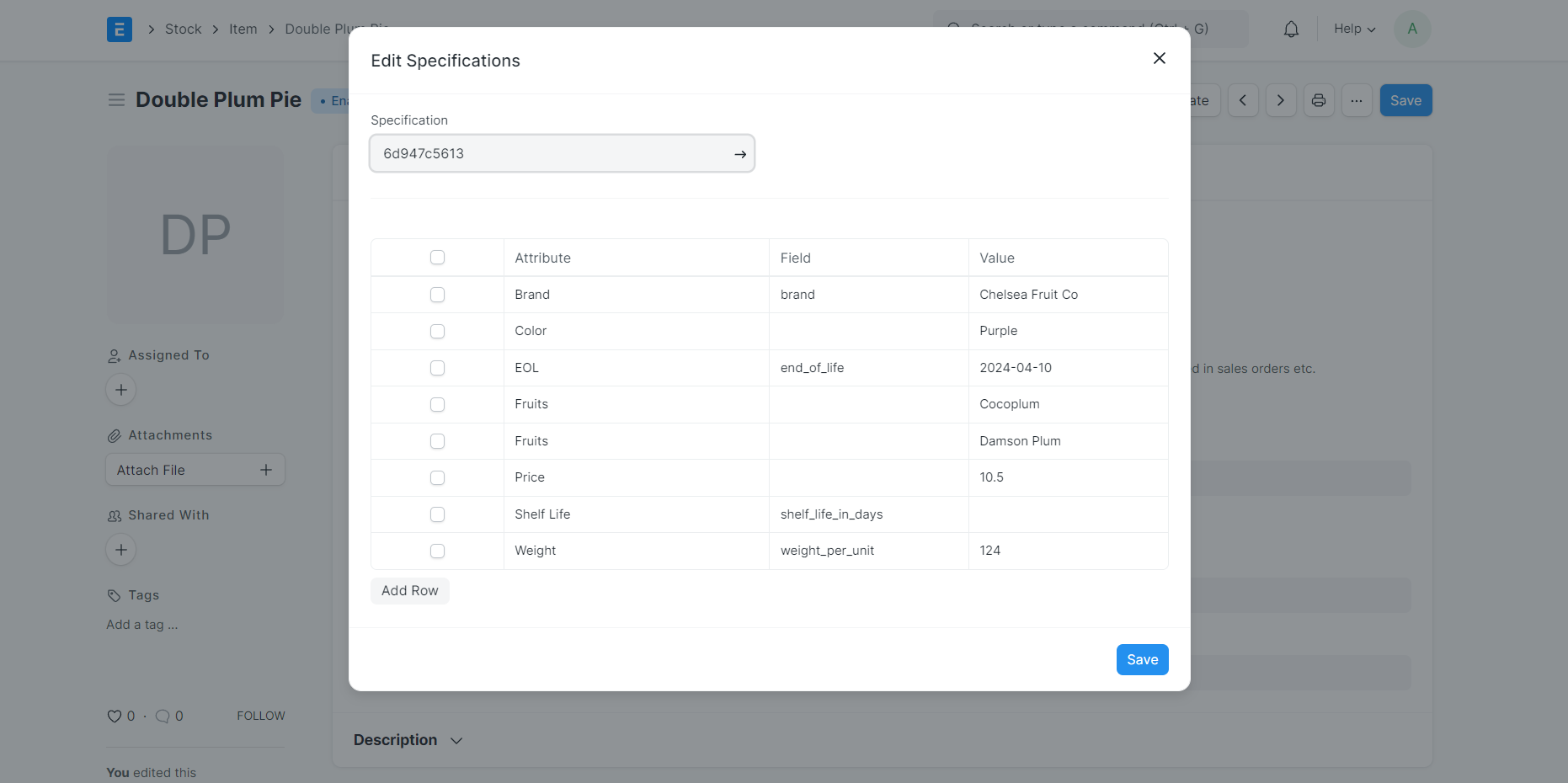
- Route through
This is how you can create and manage your specification. you can go to /all-products, you will see listed Item and Filter(s) on left.
Note:
Specification and Specification Values are reusable as long as the grouping of Items is done correctly. You may want to create new Specifications for different types of goods.